







The short answer first
If you type a lot, write long school work, or do office work, a budget laptop is usually the better pick. If you mostly read, watch videos, browse the web, and carry your device everywhere, a budget tablet is often enough — and easier to carry.
Match the device to the job you will do most. A cheaper device that fits your daily life is a better buy than a stronger device with features you never touch. Before you look at any shop page, ask: what will I do with this device on a normal day?
Laptop or tablet: which one fits your day?
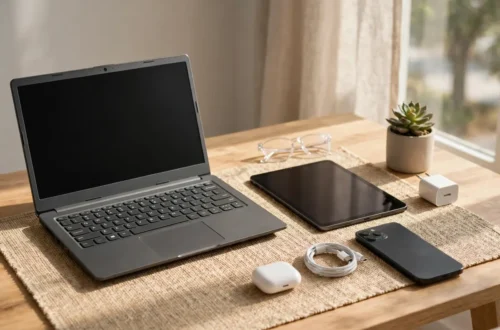
A laptop feels like a small desk. It has a built-in keyboard, a larger screen, and room for many open windows at once. That makes it easy to write, fill in forms, and switch between tasks without fuss.
A tablet feels like a book that can also play video and open the web. It is light, quick to pick up, and simple to use with your fingers. It is great for reading, watching lessons, video calls, and light browsing on the sofa or on a journey.
Some devices sit in the middle, with a folding screen or an attachable keyboard. Check the keyboard first — a hard one will slow you down. Also think about place: a laptop suits a desk, a tablet suits a bag or a bus.
Start with how you will use it
For school. A laptop is often safer for older students who write long work. A tablet suits younger learners, reading, and short tasks, especially with a simple keyboard. Ask what the school expects.
For work. For emails, documents, and online meetings, a laptop gives you room to work and a keyboard for all day. A tablet is a fine second device on the go, but long typing feels much easier on a laptop.
For travel. Weight, size, and battery matter most. A tablet slips into a small bag and is easy to hold on a train or plane. A small laptop travels well too, but needs more space and a flat surface.
For kids. Keep it simple and strong. A tablet is easier for a young child to hold, with big, clear controls. An older child who types school work may do better with a sturdy laptop. Look for simple parental controls and a strong case.

Size, battery, storage, keyboard, and warranty
You do not need technical words to buy well. Just check a few everyday things.
Size and weight. A bigger screen is easier to read, but means a heavier bag. A smaller screen travels well but feels cramped for long typing. Will you carry it daily, or leave it on a desk?
Battery. Battery life depends on what you do. Reading uses less power than video calls. Look for a device known to last a normal school or work day on simple tasks, and carry your charger.
Storage. Storage holds your files, photos, apps, and lessons. Many photos and videos need more room; work kept online needs less. Check whether you can add a memory card or use online storage later.
Keyboard. This is the part you will touch most, yet many buyers forget it. Laptop keys should feel comfortable and well spaced. On a tablet, decide if screen typing is enough, or if you want a separate keyboard. A short typing test tells you more than any feature list.
Warranty and help. A budget buy should still come with clear help if something goes wrong. Check how long cover lasts, what it covers, and where to get help. A trusted seller with a clear return policy beats a slightly lower price from an unreachable seller.
Comparison table
| Choice | Best for | Typing | Carrying | Good to know |
|---|---|---|---|---|
| Budget laptop | School work, office work, long typing | Comfortable, built-in keyboard | Heavier, needs a desk for long sessions | Roomy screen, easy multitasking |
| Budget tablet | Reading, video, browsing, travel | Screen typing, or add a keyboard | Light and easy to carry | Simple to pick up and use anywhere |
| Two-in-one style device | A mix of typing and reading | Depends on the keyboard | Between a laptop and a tablet | Check keyboard comfort before you buy |
Use this table as a starting point, not a final answer. Your daily tasks matter more than any single row.
A simple buying checklist
- Write down your main job for the device: school, work, travel, or family use.
- Decide laptop, tablet, or a mix — based on how much typing you will do.
- Pick a size you can carry with ease and read with comfort.
- Check battery life for your normal day, not just for light use.
- Make sure you have enough storage for your files, photos, and apps.
- Test the keyboard, or plan for one if you choose a tablet.
- Check the warranty, the return policy, and the seller.
- Check current models and prices before you buy, because models and prices change often.

Where to buy, and how to shop safely
Many people search for budget tablets on Amazon, or for a budget laptop at Best Buy, because those large shops list many models in one place. You do not have to buy from one shop only — a trusted local shop or another large seller can be just as good.
Wherever you buy, check three things before you pay. First, who is selling it: a known shop, or a seller with clear help and returns, is safer than an unknown seller you cannot reach. Second, what is in the box: a charger, and for a tablet, whether a keyboard or case is included or sold on its own. Third, whether the device runs the apps and programs you need for school or work — if you are unsure, ask the school or check what the program needs.
Also check if the listing is for a new device or a used or refurbished one, because that can change the warranty and returns you can expect. If the same model looks very different in price across shops, compare what is included, not just the first price you see. Models and prices change often, so check the current listing, not an old one.
A fair review: what budget laptops and tablets do well, and where to be careful
What works well. Budget devices handle everyday jobs well: browsing, email, school work, video calls, reading, and streaming. They are simple to set up, and for many people, all they need.
Where to be careful. A very cheap device may feel slow with many apps open, and its screen or speakers may be plain. Battery can fall short on a day of streaming, and storage fills fast with large files. Know these trade-offs before you buy.
Who this suits. A budget laptop or tablet suits students, families, home workers, and travellers who need a reliable device for everyday tasks and want to spend wisely.
Who it may not suit. It may not suit someone who edits large videos, plays demanding games, or runs heavy software all day. If that is your work, you need a stronger device.
Why you can trust this advice — and what to still check yourself
This guide comes from how people actually use these devices: typing school work, joining online classes, working from home, reading on a journey, and sharing a family device. It names no single model as best, because models change often. Instead, it shows how to judge any model by use, size, battery, storage, keyboard, and warranty.
Even so, check details yourself before you pay. Read what is in the box, confirm warranty and return terms, and check current models and prices, because they change often. If a claim sounds too good to be true, look elsewhere.

Frequently asked questions
Is a budget tablet enough for school?
For reading, short tasks, and online lessons, yes, often it is. For long essays, a laptop — or a tablet with a good keyboard — feels much easier.
Should I buy a laptop or a tablet for travel?
For light travel, a tablet wins on weight and ease. For work trips with lots of typing, a small laptop is usually worth the extra weight.
How do I know if the battery will last?
Light reading uses less power than video calls and streaming. Look for guidance on everyday use, carry your charger, and dim the screen when you can.
Do I need lots of storage?
If files live online, you need less room. If you keep many photos and videos on the device, choose more room or a way to add storage later.
Is a cheap device a waste of money?
Not if it fits your job. A budget device that handles your daily tasks well is good value. It is a poor buy only when it cannot do its main job.
Where is a safe place to buy a budget tablet or laptop?
A large shop or a trusted seller with clear returns and warranty help is a good start. Before you pay, check who the seller is, what is in the box, and whether the listing is new or refurbished.
A final word before you buy
Buy for the life you live, not for the features on a poster. A laptop for long typing, a tablet for light travel and reading, and a careful check of size, battery, storage, keyboard, and warranty will take you further than chasing the lowest price. Take your time, compare current models and prices, and pick the device you will enjoy using every day.