








An Amazon price history tracker shows you what a product cost in the past. It does not just show today’s price. It shows the ups and downs over time.
A price that looks low today may have been lower last month. When you can see the past, you can make a calmer choice. This guide explains how these tools work, how to read the graph, and how to set a price alert.
What an Amazon Price History Tracker Does, and What It Cannot Do
A price history tool can be a website, an app, or a small add-on in your browser — and its job is simply to keep an eye on Amazon prices for you. You give it a product page, or search for the product on it.
Over time, it writes down the price, turns that record into a graph you can read at a glance, and lets you know when the price falls to the level you picked. That helps when you are tracking price on Amazon for something you do not need right away. You can watch it for a few weeks, then buy when it reaches a price you are happy with.
But a tracker cannot tell you what the price will do next. No graph can promise a future drop, and it cannot always show every short price change. Most trackers are made by other companies, not by Amazon, so check their current features at the time you read this.
How to Read a Price History Graph
An Amazon price history graph is simple once you know the two directions. Time runs from left to right: the left side is the past, and the right side is now. Price runs from bottom to top.
Each point on the line is a price at a certain time. When the line goes up, the price went up. When it goes down, the price went down. A flat line means the price stayed the same.
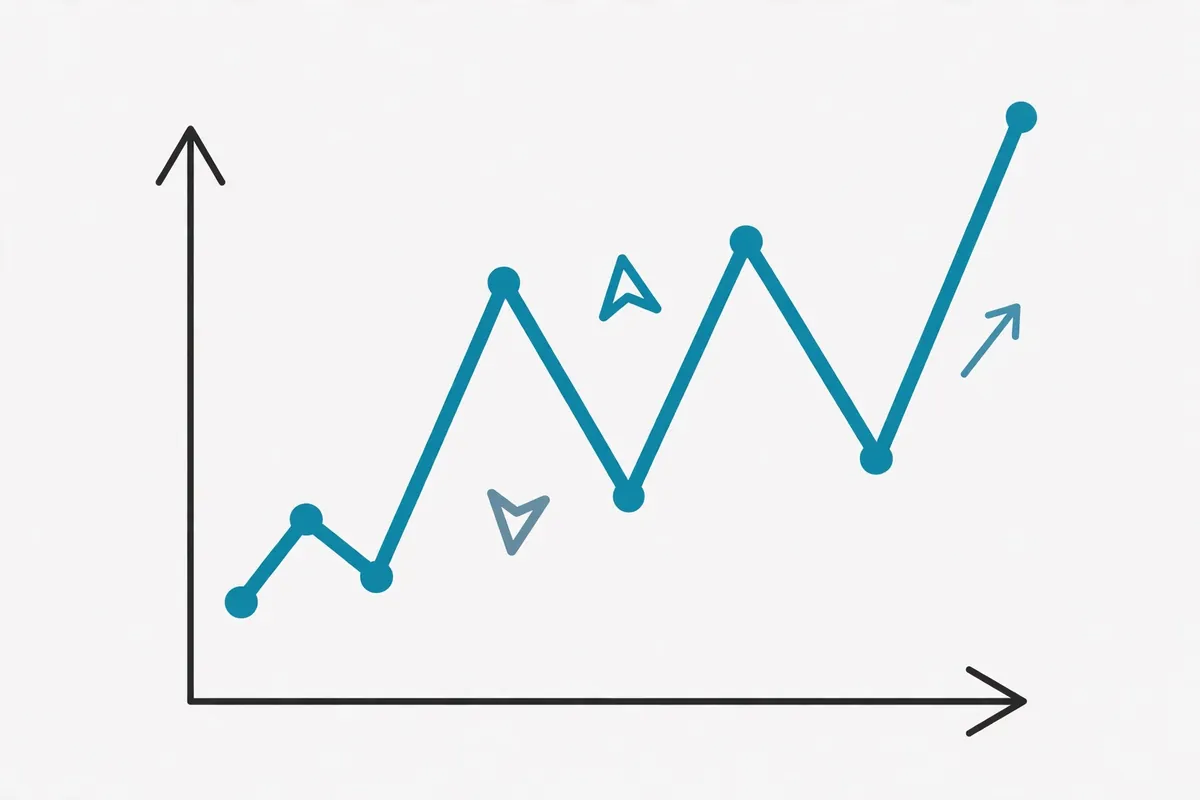
Read it in four steps. Find the highest point. Find the lowest point. Look at today’s price: is it near the low or the high? Then look at the pattern. Does the price drop often, or stay flat for months?
One dot on the graph tells you very little on its own. The shape of the whole line — that is what really helps you decide. If a product drops every few weeks, you may want to wait. If it almost never drops, waiting may not help. Also check the time range, since a one-month graph can hide a big drop from six months ago.
Free vs. Paid Trackers: What You Actually Get
If you are just getting started, a free tracker is usually the sensible first step. Free tools can be a great place to start.
A free tracker will often give you the basics: a price history graph, a way to search for a product, and one or more price alerts. That is enough for most shoppers.
A paid version may offer a little more, like extra alerts or a longer look back at past prices. Nice to have, sure — but only worth paying for if you will really use it.
Free limits change often. One tool may limit alerts. Another may limit how far back its graph goes. Do not trust an old review that lists exact free limits. Check the tool’s own site at the time you read this. Start with a free Amazon price tracker tool, try it with one product, and pay only for a feature you will use.
How to Set a Price Alert, Step by Step
A price alert is a message that tells you when a product reaches a price you choose. You do not have to check the price every day. Buttons may look different from tool to tool, so follow the labels on the screen you see.
- Find the product. Search for it on the tracker, or paste the product page link into it.
- Check that it is the right product. Make sure the size, colour, and seller match the one you want.
- Open the price history. Find the lowest price and the usual price.
- Pick your target price. Choose a price you would be happy to pay, often near a past low.
- Set the alert. Enter your target price and choose how you want to be told, such as by email or by a message in the Amazon price history app. Save it, and confirm your email if asked.

When you get an alert, open the product page and check the price, the seller, and delivery details before you buy. An alert is not an order. You still decide whether to buy.
For how to choose the right product before you set the alert, see What is a Buyers Guide? Definition & Examples.
“Price History Not Working” — Common Reasons and Fixes
Many people search for “Amazon price history not working” when the graph is blank. Try these fixes one by one.
The product is new. A new product has no past prices to show. Fix: check a longer time range, and check back later.
You are looking at the wrong version. A different size, colour, or seller can have its own price history. Fix: open the exact product page again.
The page did not load fully. Fix: refresh the page, try a different browser, and turn off any blocker that may stop the graph.
The tracker is down. Fix: wait a little while and try again, or try a different tracker.
The link is out of date. Fix: search for the product fresh on the tracker.
The app needs an update. Fix: update the app, restart your phone, and sign in again if asked.
If none of these fixes work, check the tracker’s help page. You can still check the price on Amazon itself.
How to Use Price History With Product Comparison, Not Instead of It
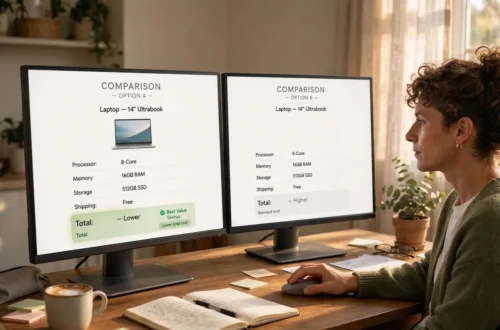
Price history is only one part of a smart buy. A low price is not a good deal if the product is wrong for you. First compare products, then check the price history of the one you like best.
- Compare the products first. Look at features, size, quality, reviews, returns, and seller.
- Check its price history. Is today’s price near its low? Has it dropped before?
- Check other sellers. Make sure you compare the same version.
- Decide your target price. Use the graph to pick a fair target, then set an alert if you are willing to wait.
- Buy when both the product and the price are right. A good product at a fair price beats a poor product at a record-low price.

Product comparison answers, “Which one should I buy?” Price history answers, “When should I buy it?” You need both. An Amazon price check history can also stop a fake deal: if the “sale” price is the same as last month’s normal price, it is not a special deal.
| Product comparison | Price history | |
|---|---|---|
| Main question it answers | Which one should I buy? | When should I buy it? |
| What you check | Features, size, quality, reviews, returns, and seller | Past prices, the usual price, and whether drops happen often |
| Best time to use it | Before you pick a product | After you have picked the product you like best |
| What it cannot tell you | Whether today’s price is a good one | Whether the product itself is right for you |
In short: compare first, then check the price. That way you get the right product at a fair price, not just the cheapest one.
For the comparison step itself, see How to Compare Products on Amazon.
Price Trackers: What Works Well, and What to Watch Out For
A price tracker is a handy helper, but it is not a magic answer. Here is a fair look at it.
Good points
- You can see past prices instead of guessing whether today’s price is low.
- You can spot a fake “sale” if the sale price matches last month’s normal price.
- A price alert saves daily checking and helps you wait calmly for a fair price.
Watch-outs
- A tracker cannot tell you what the price will do next, and it may not catch every short price change.
- The graph can mislead if you look at the wrong size, colour, or seller.
- Free limits and features change often, so check the tool’s own site at the time you read this.
- An alert is not an order — open the product page and check price, seller, and delivery details before you buy.
Who it suits
It suits you if you do not need the product right away, already know which product you want, and are happy to wait for a fair price.
Who it does not suit
It does not suit you as well if you need the product today, have not yet compared products, or the product is brand new with no price history yet. In those cases, compare first, or buy when the product and the price both feel right.
About this advice: This advice is based on a simple method: compare products first, then read the price graph for the exact version and seller you want, and finally check the price on Amazon itself before you buy. It uses the product’s own past prices and a real comparison, rather than a single “sale” label. Before you rely on a tracker, check that you are looking at the exact product version and seller, and that the tracker’s current features match what you need, since tools and limits change. No single tool is recommended here as the one best choice, because the right fit depends on the product and on the features you will actually use.
Frequently Asked Questions
What is the best free Amazon price tracker?
There is no single best tool for everyone, and free limits change often. Start with a free tool that shows a clear graph and lets you set alerts.
Can a price tracker predict future prices?
No. It shows past prices and patterns, such as frequent drops, but the next drop is never certain.
Why does my price history look different on two trackers?
Trackers may check prices at different times, track different sellers, or show different time ranges. Small differences are normal. If the difference is large, check both are looking at the same product version and seller.
Should I wait for a price drop, or buy now?
If you need it now, and the price is near its usual low, buying now can be fine. If you do not need it soon, and the graph shows regular drops, waiting with an alert can be smart.